
Before you start
Have the access code from your registration email ready. These steps take you from redeeming it on A4Q Prep to finishing the practice exam that enters you into the draw.
Redeem your code and submit the exam by 6 December 2026 at 23:59:59 CET (Berlin time, UTC+1).
Step by step
Tap or click a screenshot to open it full size.
-
Create an account or log in
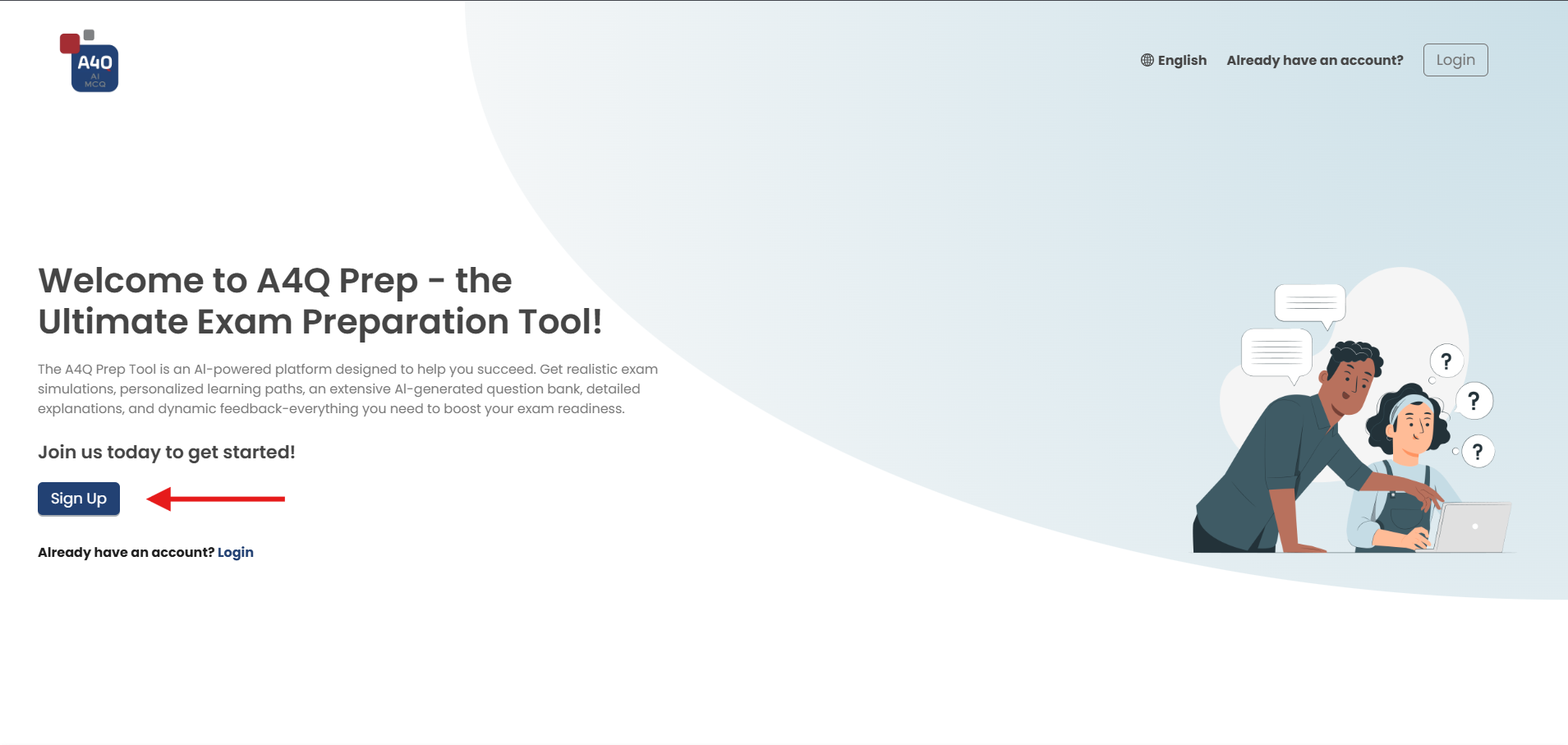
Go to A4Q Prep and click Sign Up to create an account. If you already have an A4Q Prep account, click Login and use that one. We recommend using the A4Q Prep account with the same email address you registered for the challenge with, or creating a new account with that address.
-
Open Vouchers
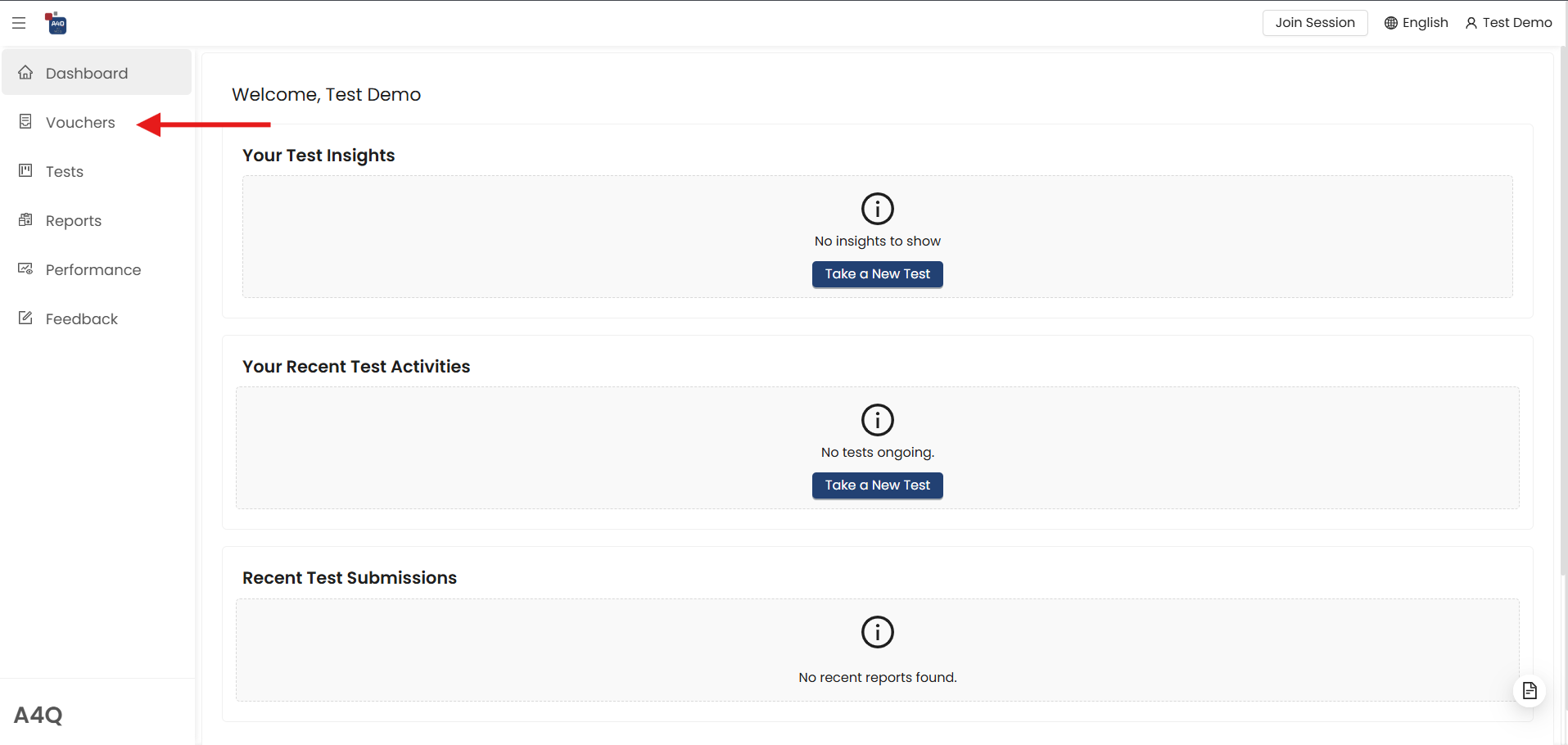
After logging in you land on your dashboard. Click Vouchers in the menu on the left. If the menu is hidden, open it with the ☰ icon at the top left.
-
Redeem your code
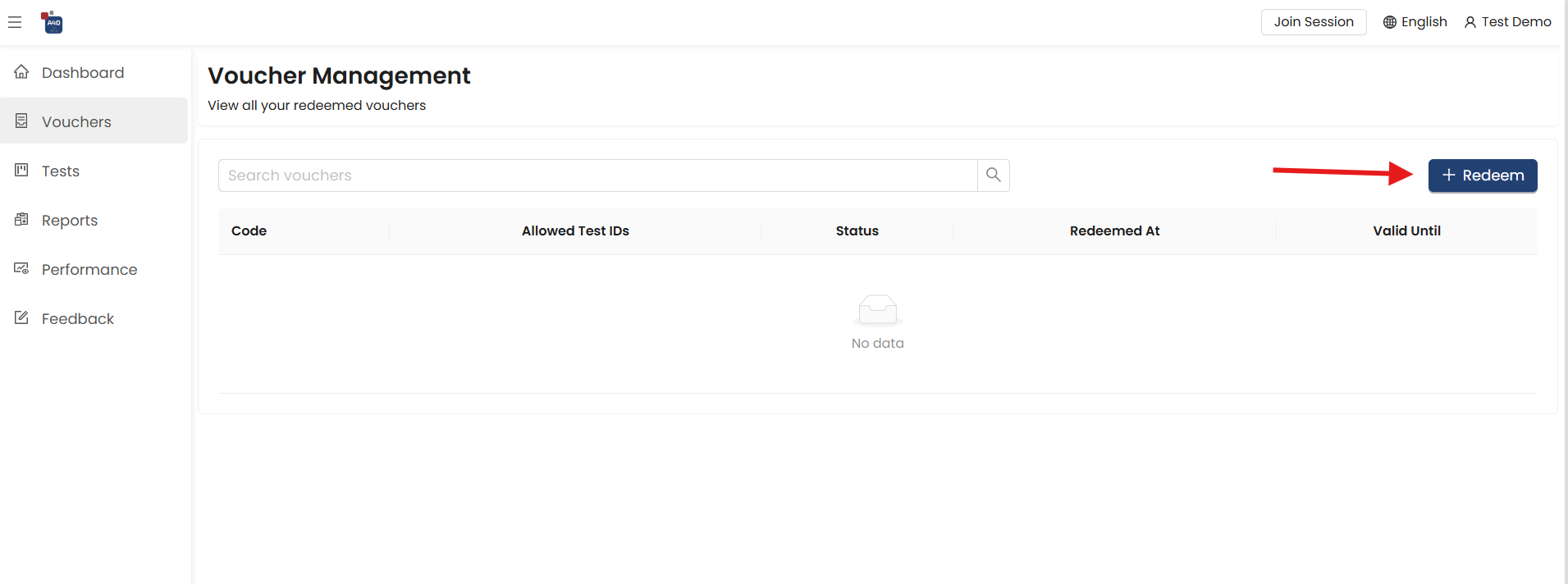
Click + Redeem, then enter the access code from your email and confirm. Copying and pasting the code avoids typing mistakes.
-
Check that your code is active
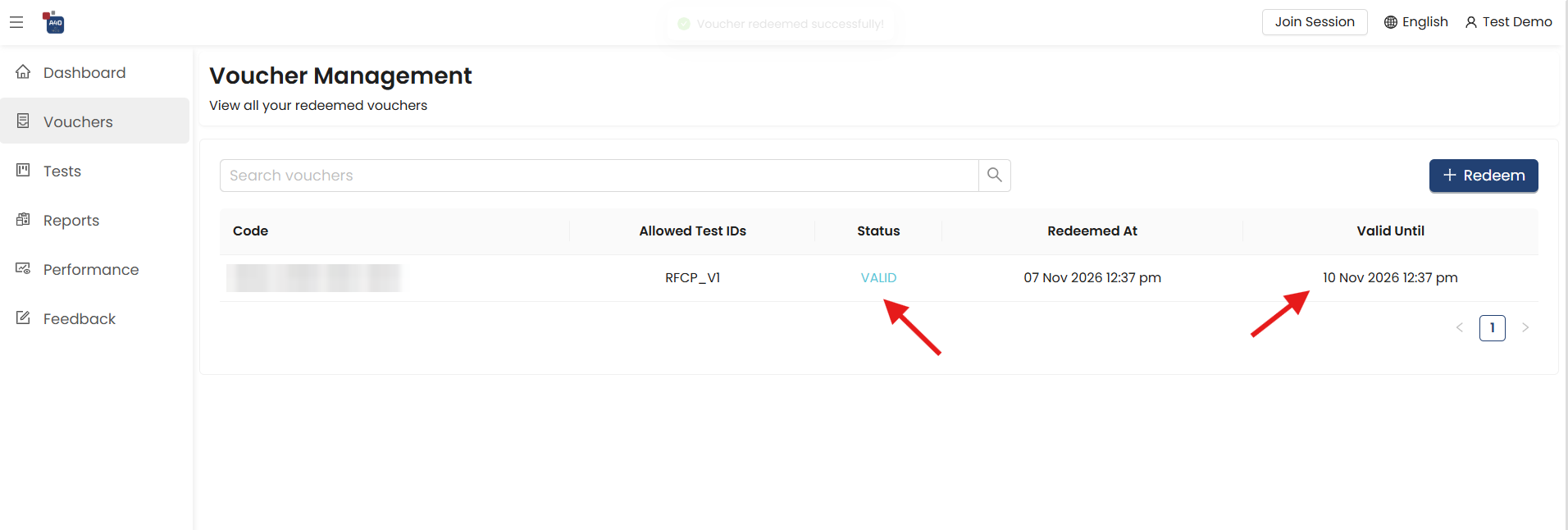
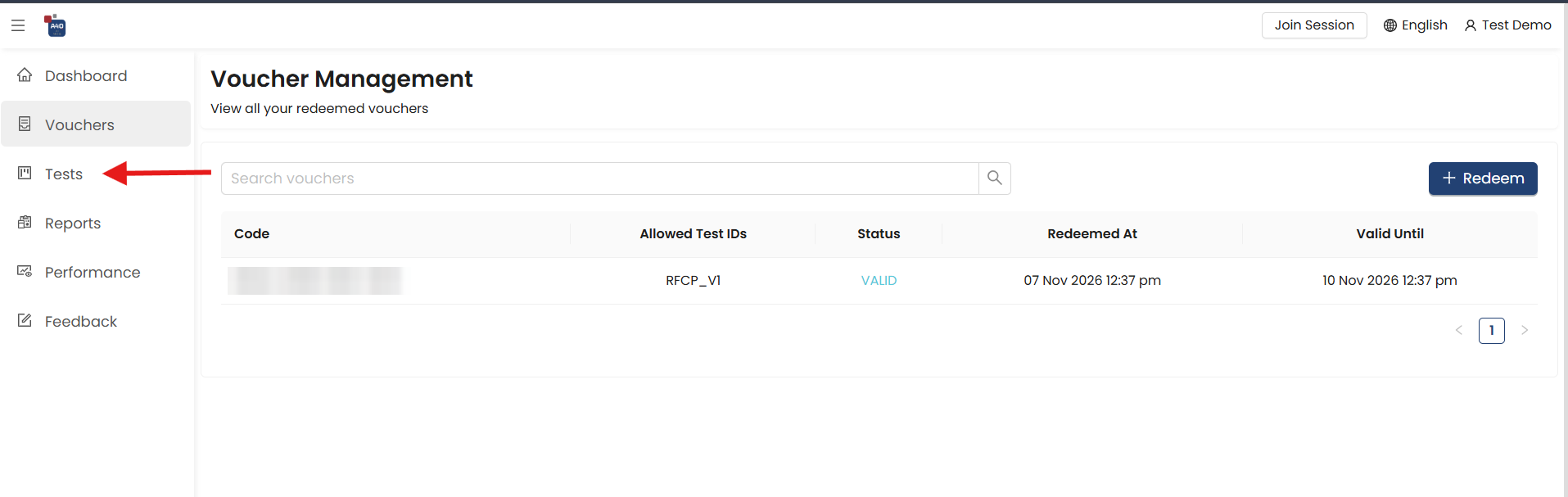
Your code now appears in the list with the status VALID and the allowed test RFCP_V1. Valid Until shows when your 72 hours of access end.
-
Open Tests
Click Tests in the menu on the left.
-
Choose the RFCP test
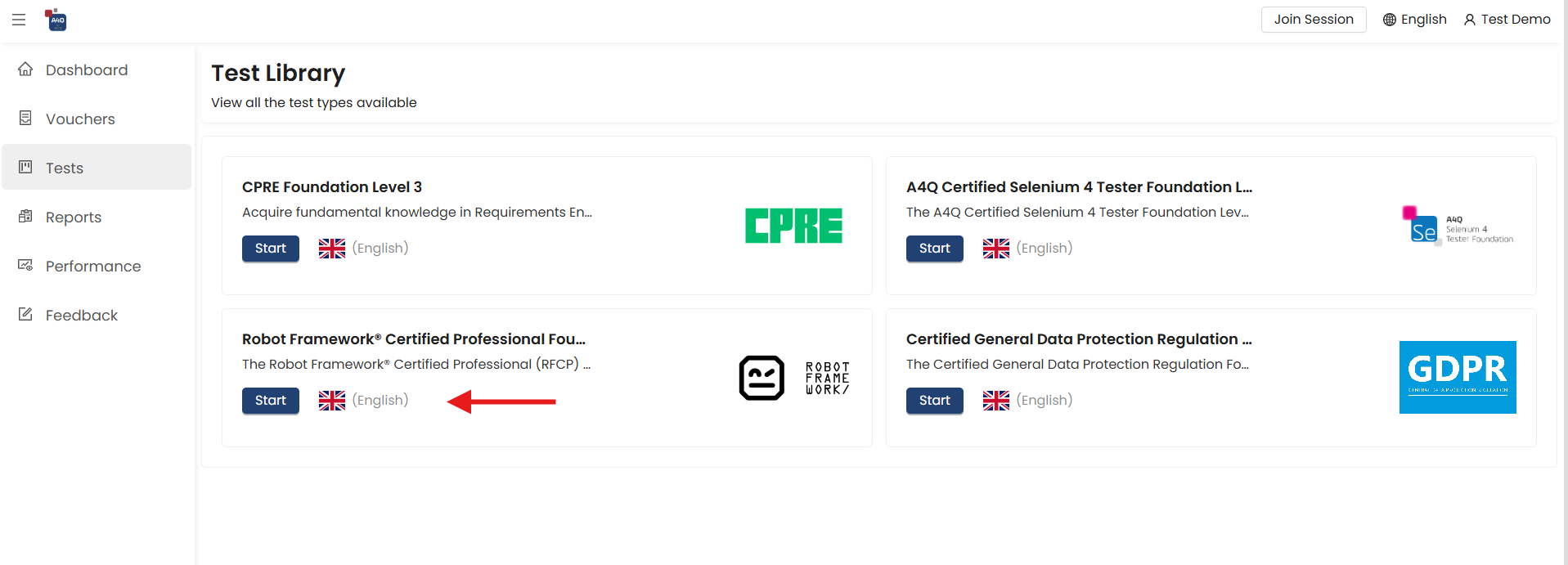
In the Test Library, find Robot Framework® Certified Professional Foundation and click its Start button. Other tests may be listed too, but only the RFCP test counts for the challenge.
-
Select Exam Mode and start
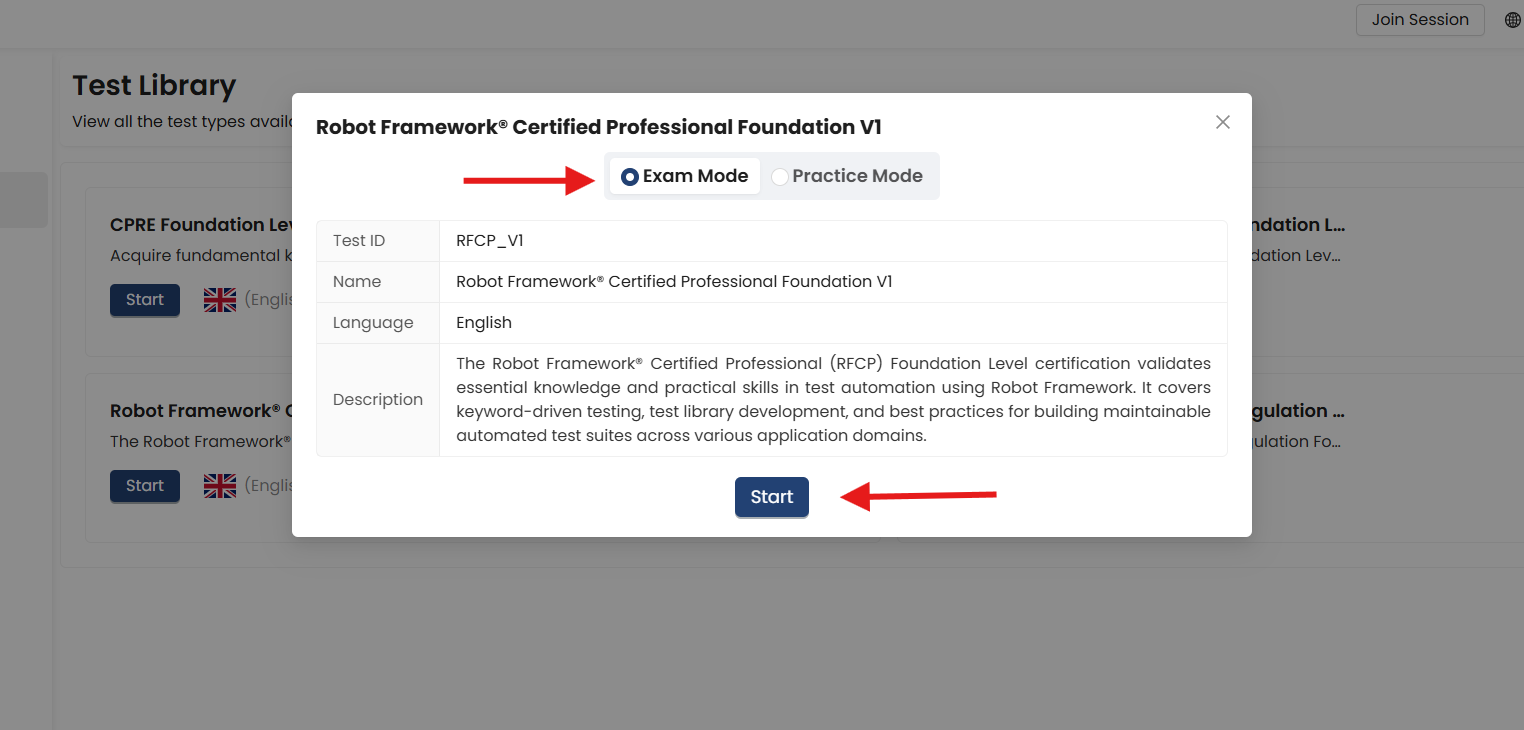
Select Exam Mode, not Practice Mode, and click Start. Only practice exams taken in exam mode count for the draw.
-
Finish and submit the exam
Answer the questions and submit the exam by 6 December 2026 at 23:59:59 CET. That is all: once your exam is submitted, you are included in the draw automatically.
You can leave an exam-mode attempt and continue it later, but it only counts once it is submitted. There is no minimum score, and completing further exams does not give you extra entries.
Need help?
If your code is not accepted or something else goes wrong, email info@gasq.org and include your access code. No email from us yet? Check your spam folder first.